


One inbox, multiple channels
Centralize email, online chat, and instant messaging so your team can follow up with customers through a unified process.

 Shared inboxOmnichannel collaboration
 Live chatMore natural customer communication
 AI chatbotLet AI work side by side with your team
 CRMKnow your customer with every interaction
 Knowledge baseMake answers easier to find
 AnalyticsUnderstand the customer experience through data
 AI assistantIntegrate intelligence into every step of serviceOnline supportUse this site to troubleshoot problems, organize feedback information, and read the complete English instructions for use.
 Help centerSearch the English Getting Started Guide to learn about website access, team collaboration, subscription and integration, and read the complete operation articles on the site.
 Advanced guidesFrom customer service operations to automation and development access, we gradually build a Crisp workflow suitable for the team.Terms of serviceUnderstand the rules for using this website's content, usage guidelines, troubleshooting and feedback tools.Privacy policyLearn about browsing, searching, question drafts, external content, and how this site handles your personal information.
Omnichannel collaboration
Bring email, website chat and social messages into one workspace. Give every conversation context, so any teammate can pick it up.
14-day free trial · No credit card required
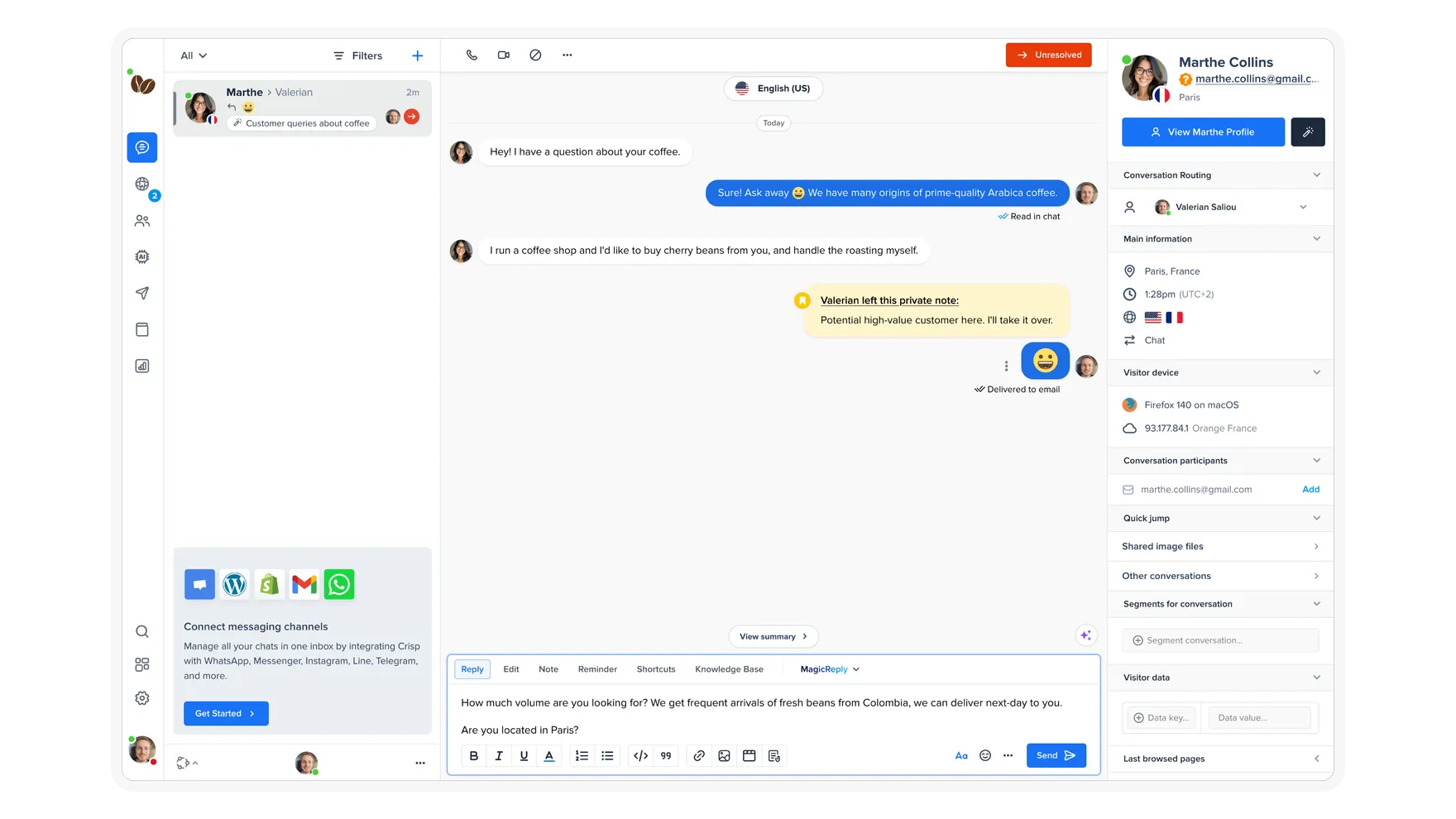
Built around real needs
Centralize email, online chat, and instant messaging so your team can follow up with customers through a unified process.
Make it clear who is working on it and what to do next with assignments, internal notes, and collaboration status.
Build saved replies, routing rules and automation into everyday customer service.
Explore the details
Discover how shared inboxes fit into teamwork.
Conversation history, internal notes and customer information are centrally presented. Colleagues can quickly understand the problem, and customers don’t need to explain themselves repeatedly.
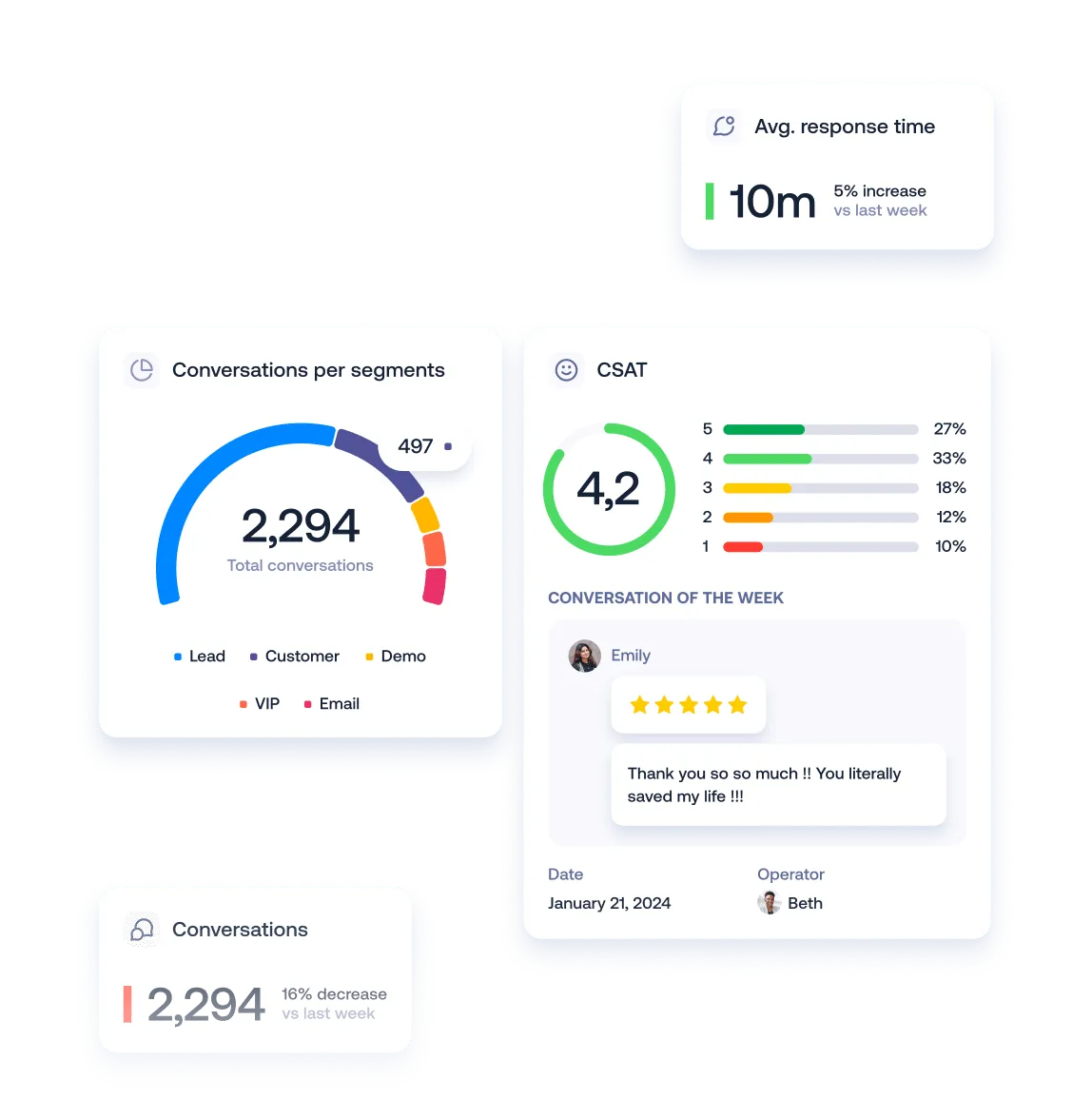
Assign conversations by channel, customer intent or custom criteria. Use round-robin rules to balance your team’s workload.
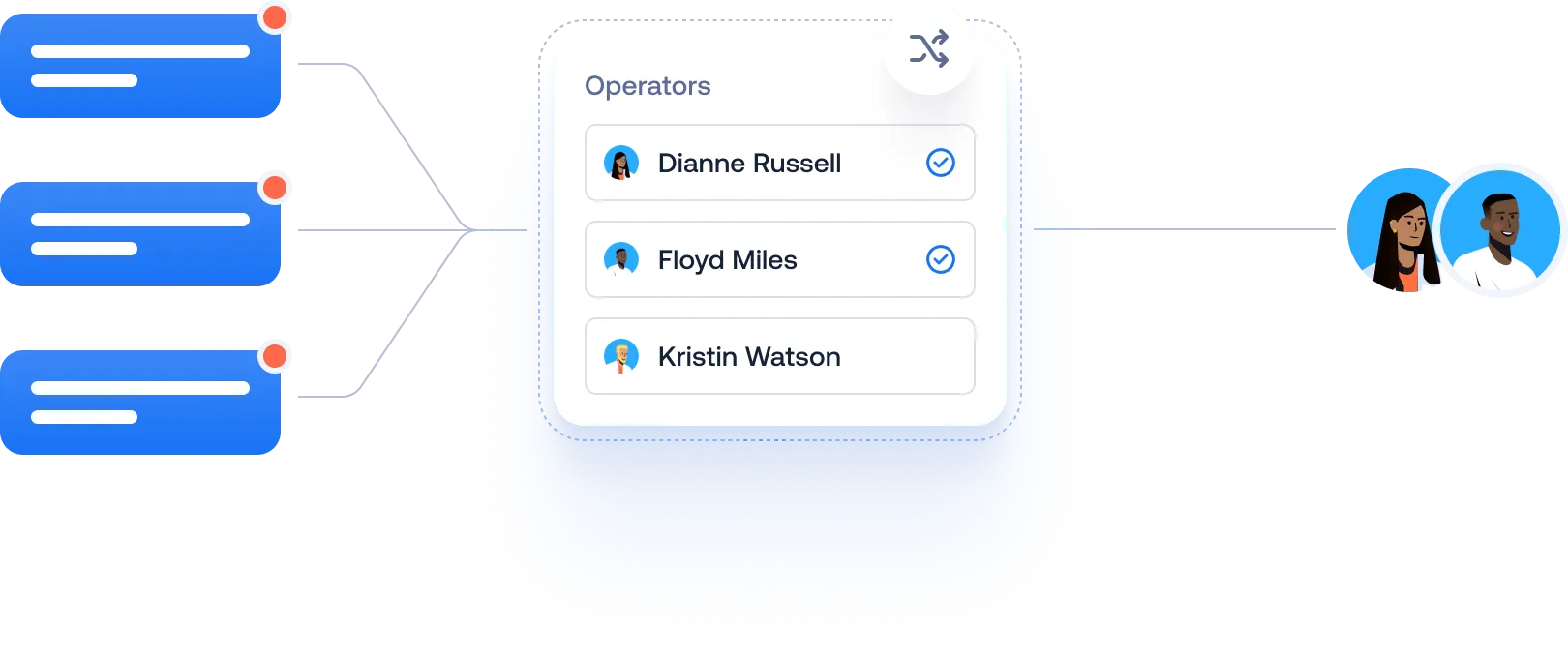
View conversation volume, customer satisfaction, and knowledge base performance to review team service experience with more complete data.
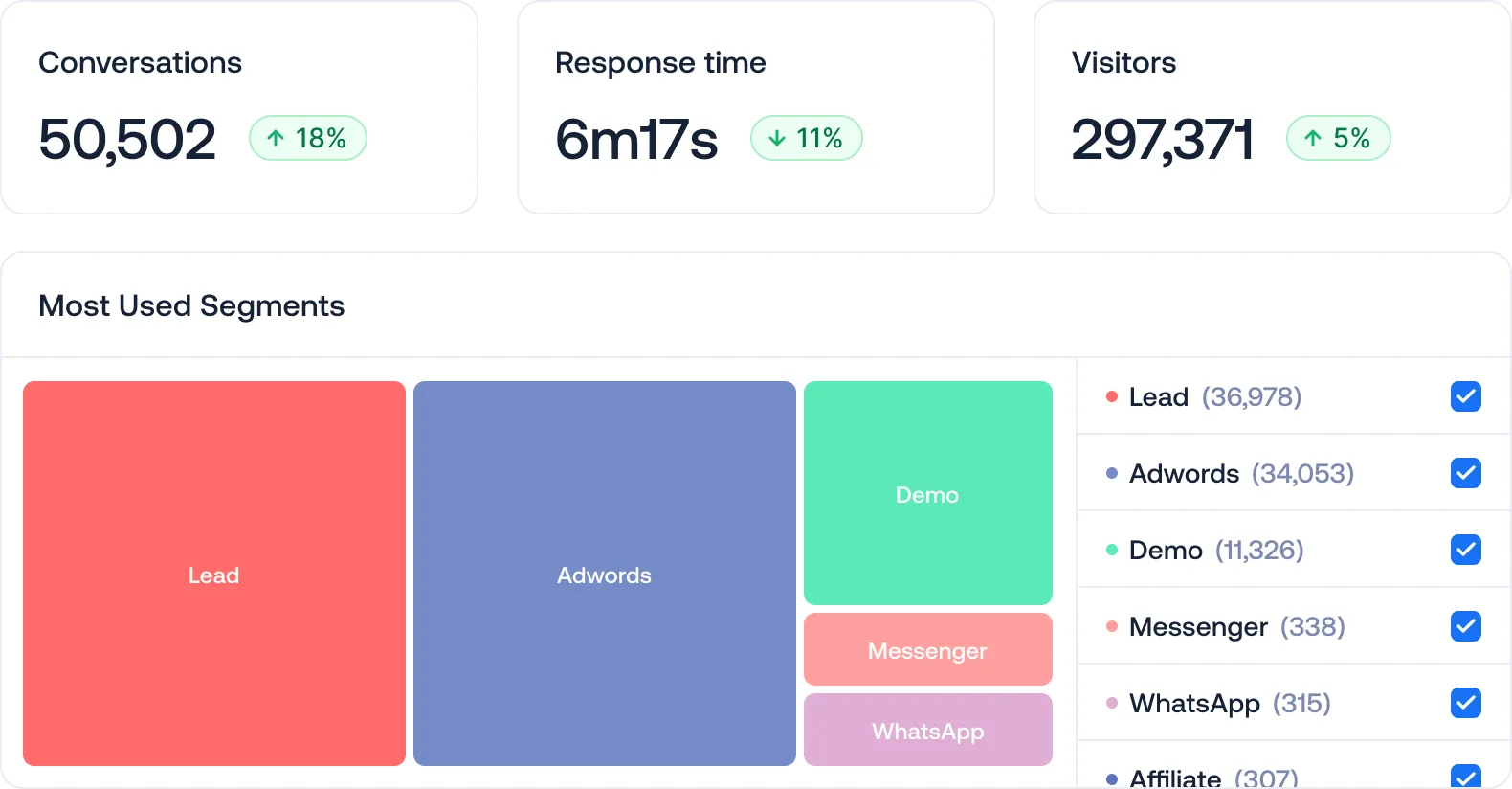
From idea to everyday work
Connect your team across email, website chat, and social channels.
Configure working hours, assignment methods and quick replies.
Reply, add notes and hand over conversations with shared context.
Combine session data and customer feedback to improve processes.
Crisp supports website chat, email and WhatsApp, Instagram, Messenger, Telegram and other channels. The specific available channels and access conditions depend on the package and third-party platform.
Yes. A shared inbox provides conversation delegation, internal notes, and collaboration features to help teams stay clear on their processes.
The free version provides basic shared inbox and website chat. Shared email, omnichannel access and automation capabilities increase with plan tiers, see the pricing page for the full range.
Your next great customer experience starts here
14-day free trial · No credit card required
